One thing.
Then the next.
A day planner for ADHD brains that shows you one anchor for the day, one task at a time, and how much time you actually have. Built for the days when a full planner feels like a wall.
AXIS Anchor, in 85 seconds.
Your anchor and its first step, Next up with Step done and Not now, I’m stuck, the focus disc, a brain dump sorted by the AI helper, search, your week, Insights, and making it yours.
A real session in the app with sample data · no sound · captions on screen
You don't need more planner.
You need less, at the right moment.
Twelve things on a list feel like twelve emergencies. Anchor shows the one thing that would make today good, then one task at a time. The rest waits quietly.
A ring shows how much of your day is left. The timeline marks now. Focus shows a disc that shrinks as time runs out, so you can see time instead of guessing it.
Every task breaks into small steps, the first one under two minutes. Stuck anyway? Tell Anchor what's in the way and it gives you the matching fix.
Anchor doesn't ask you to try harder. It asks one question at a time.
Your anchor.
Then Next up.
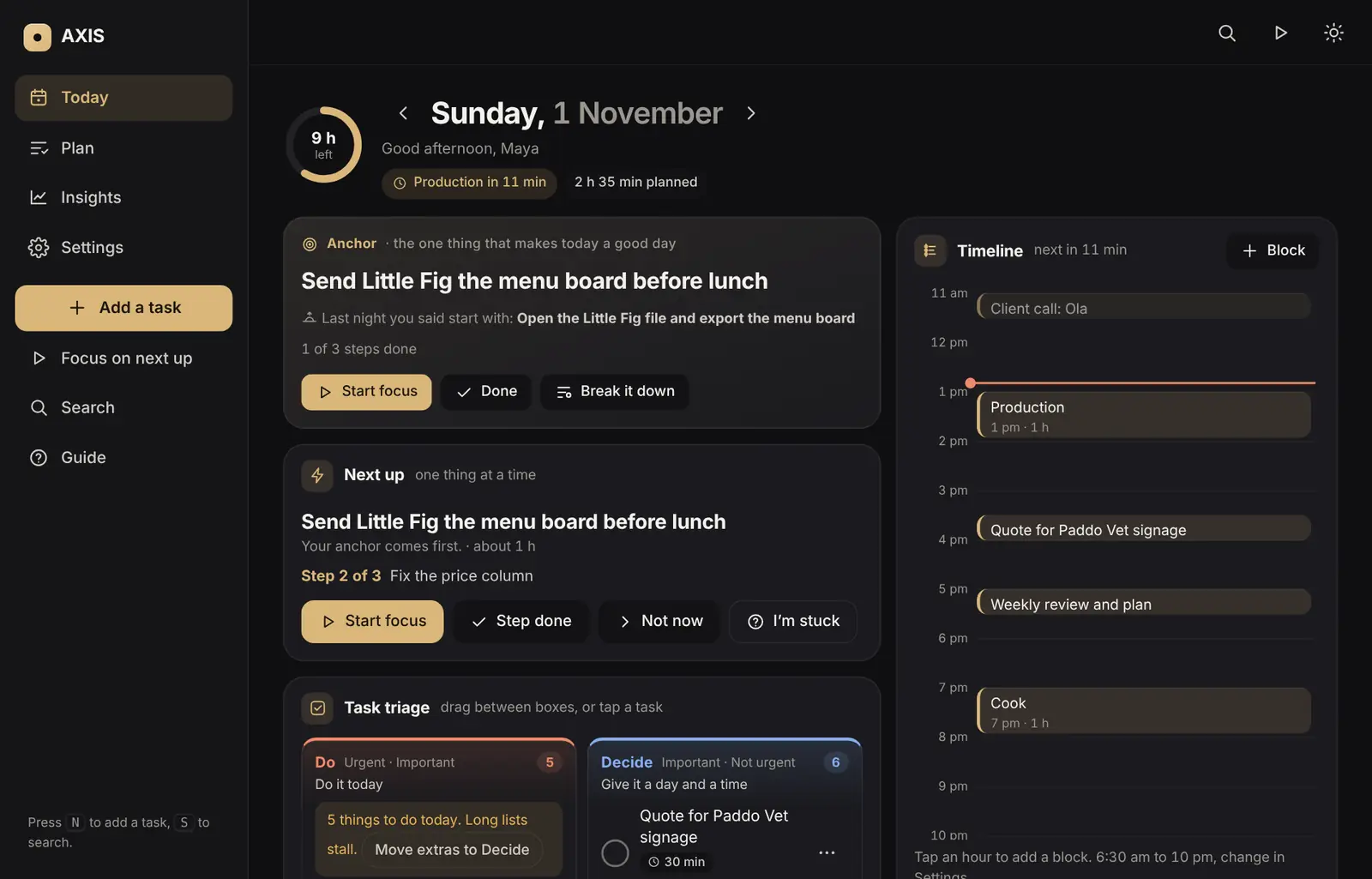
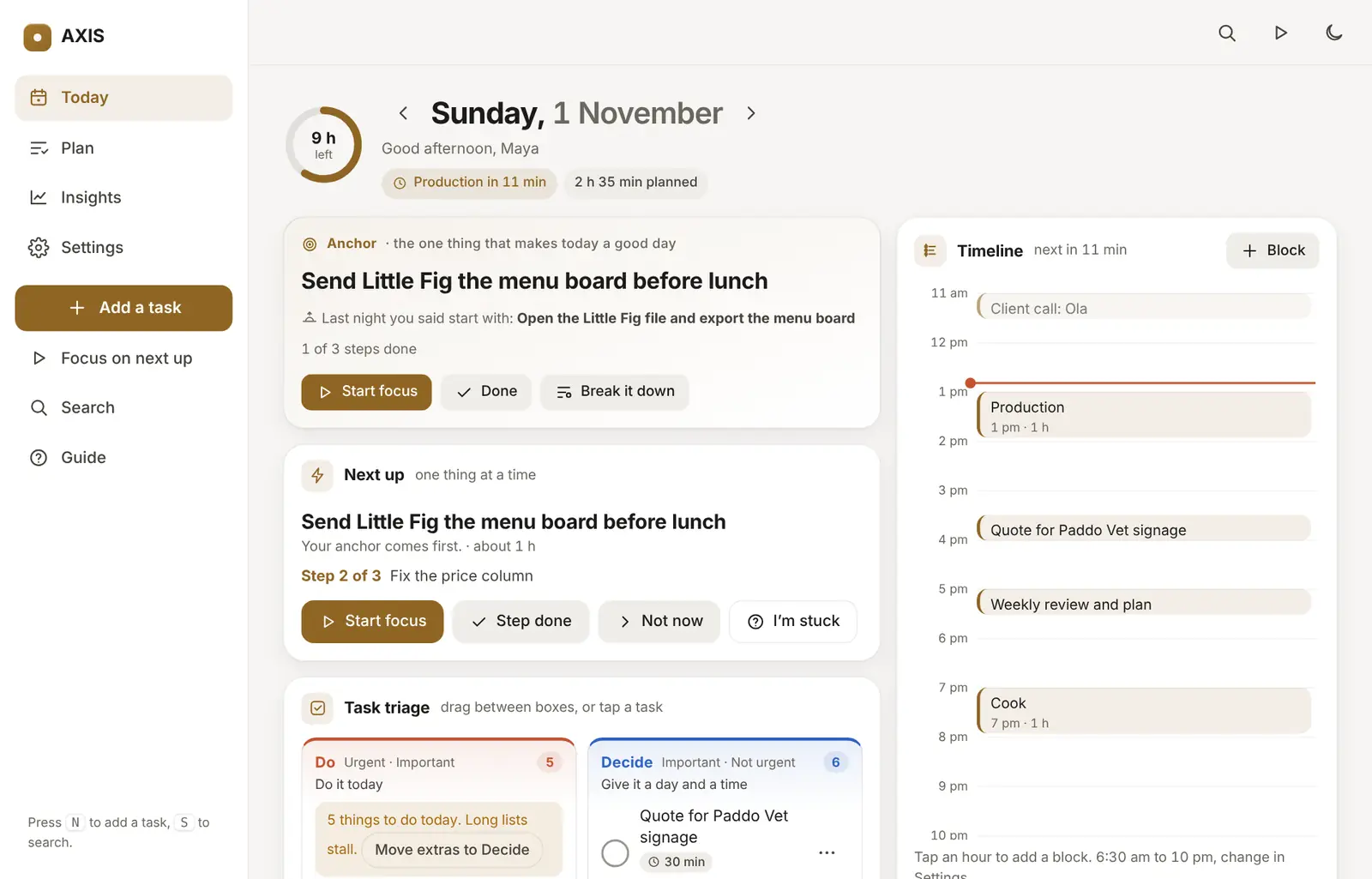
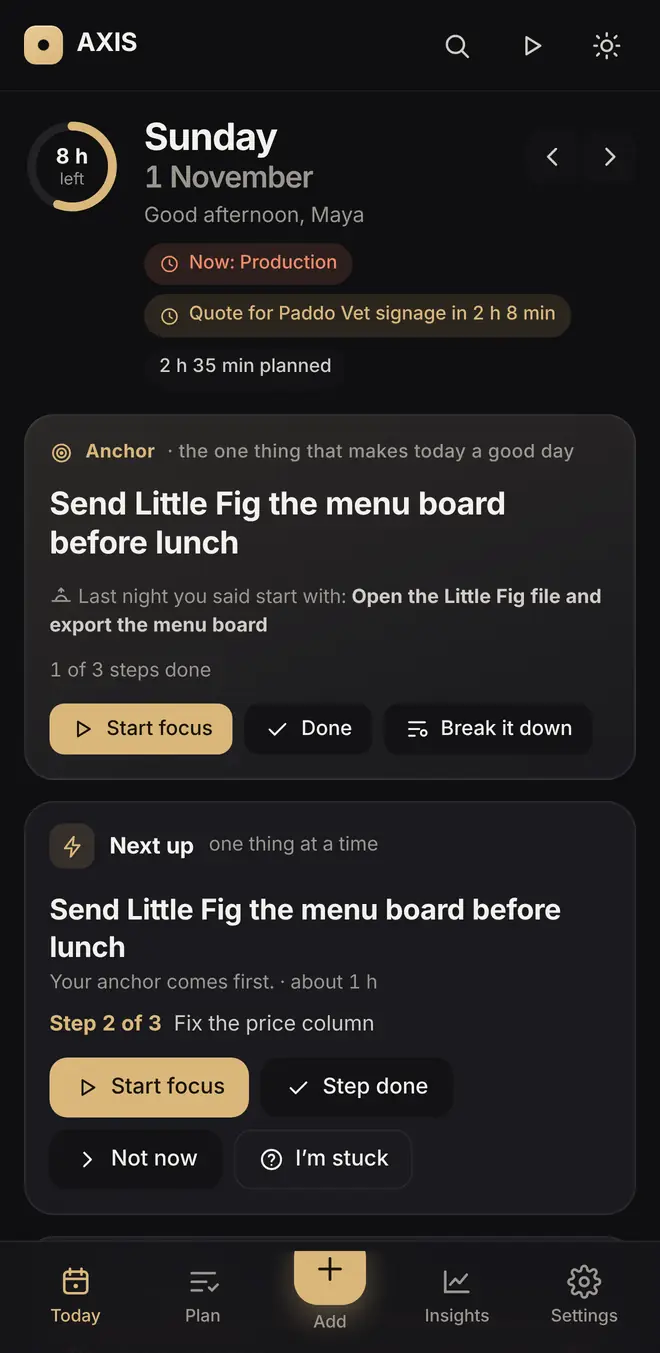
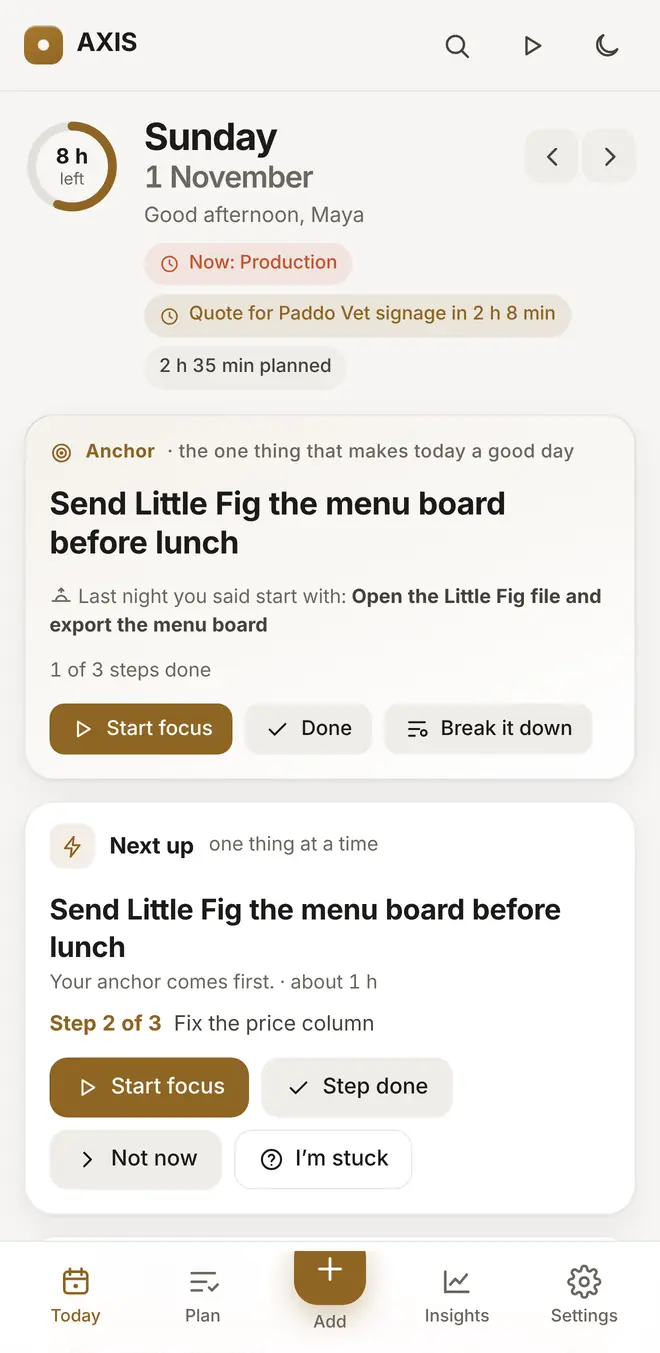
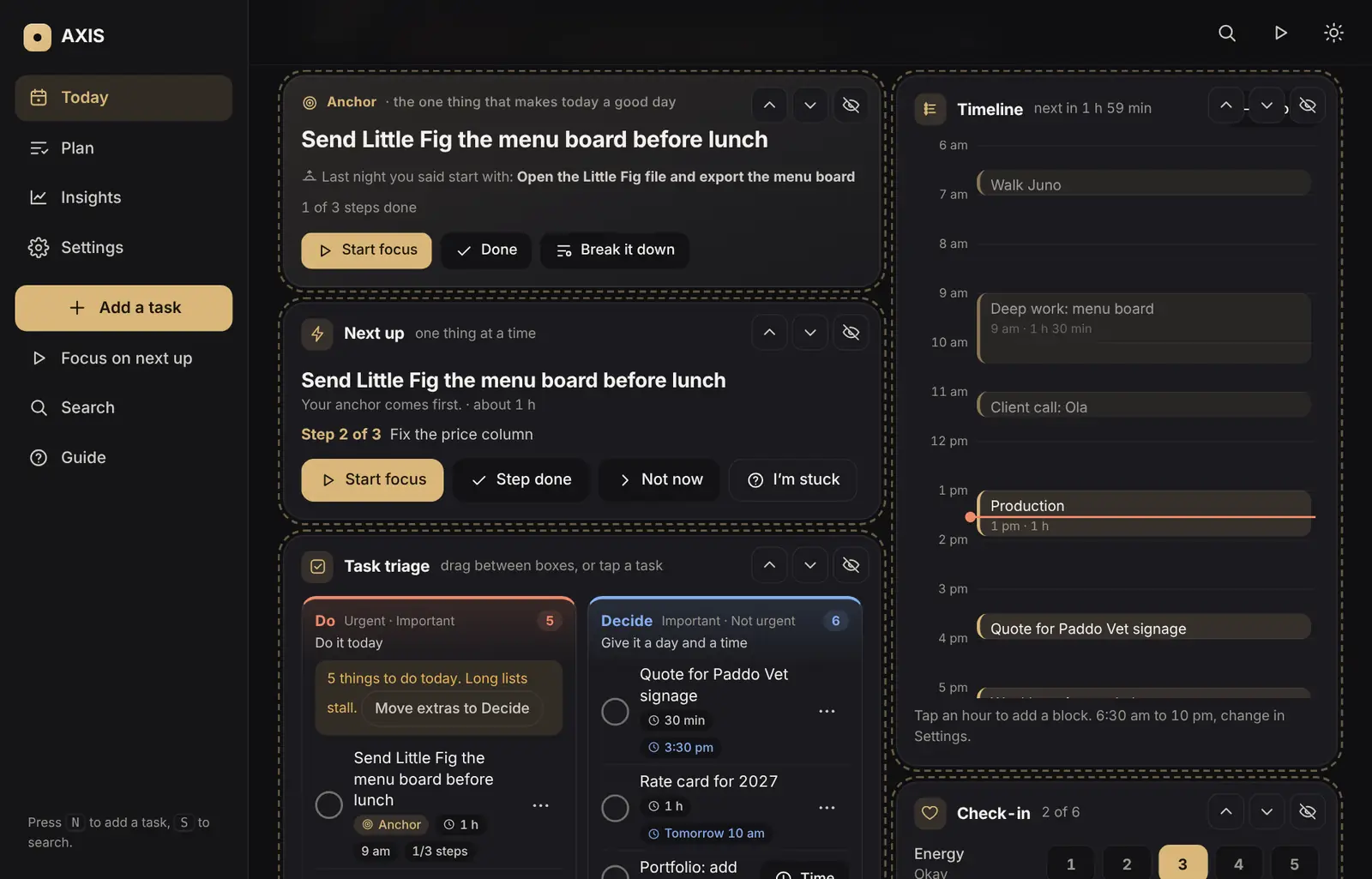
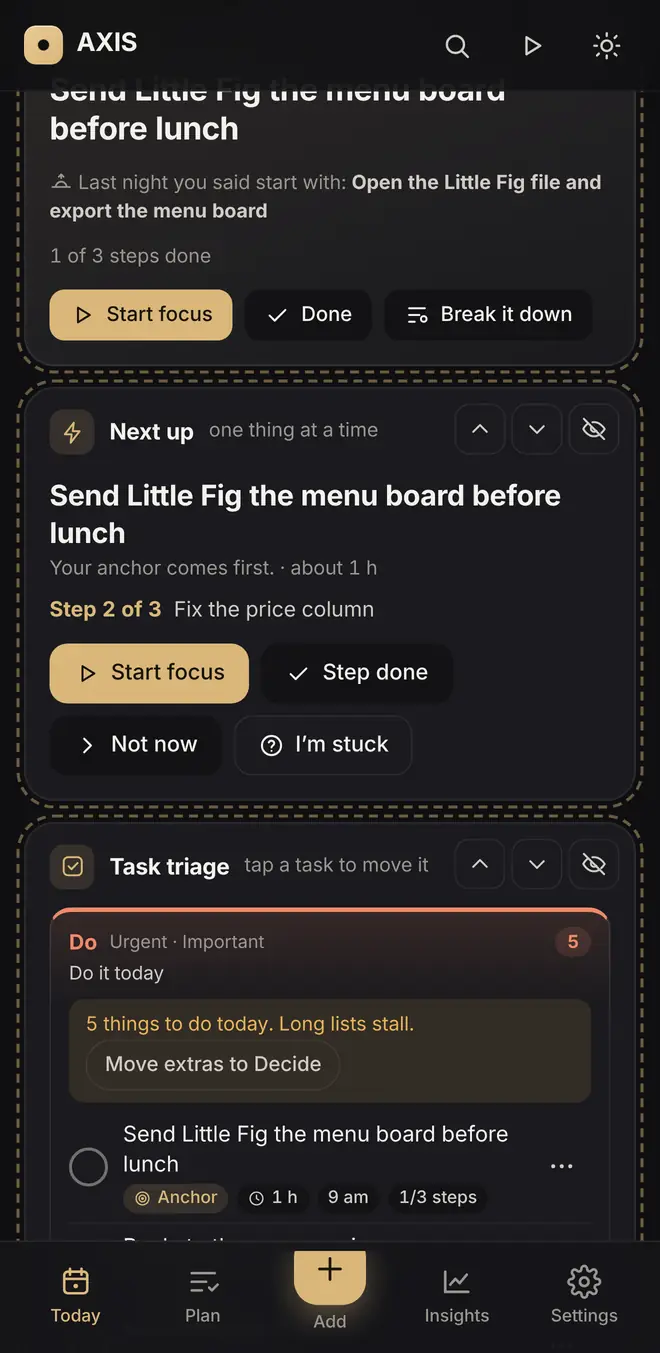
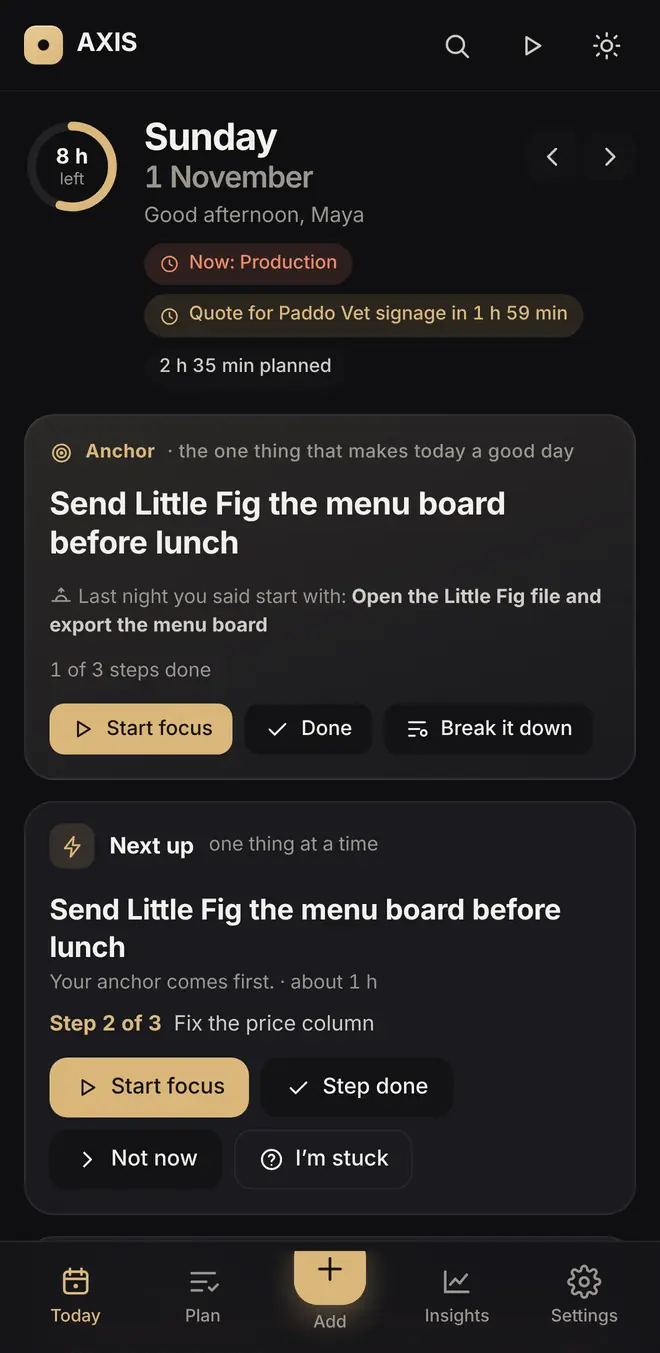
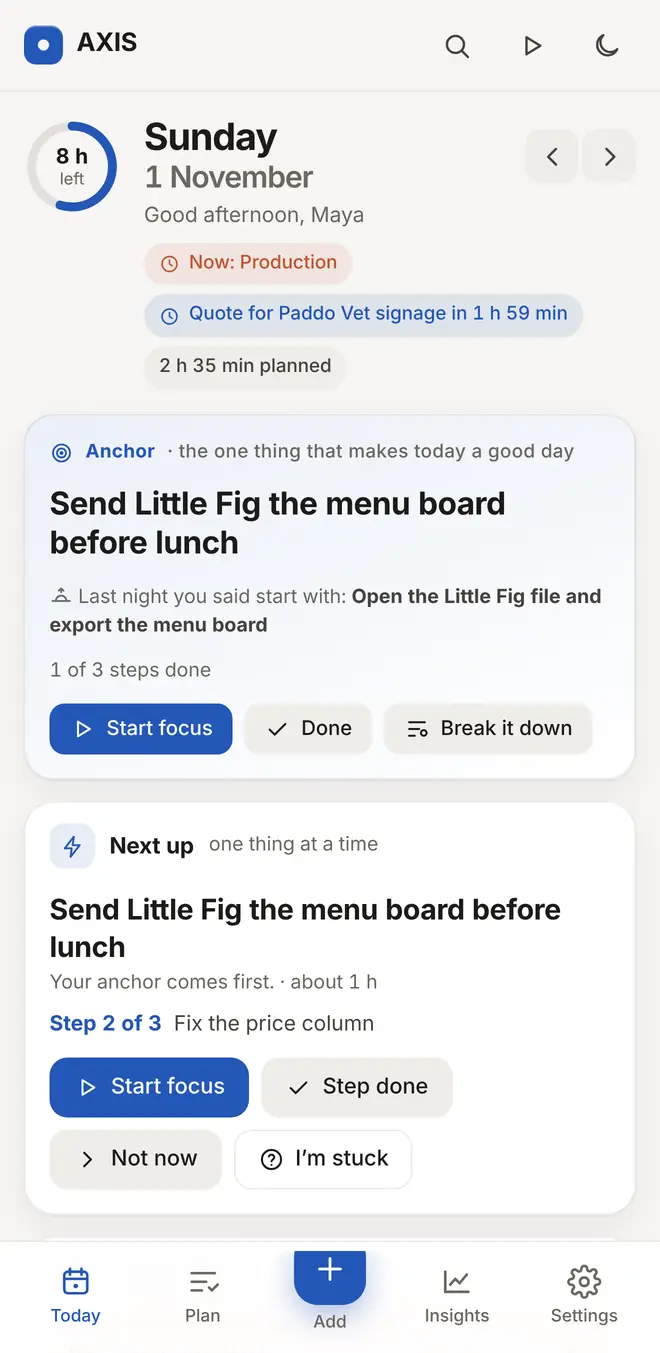
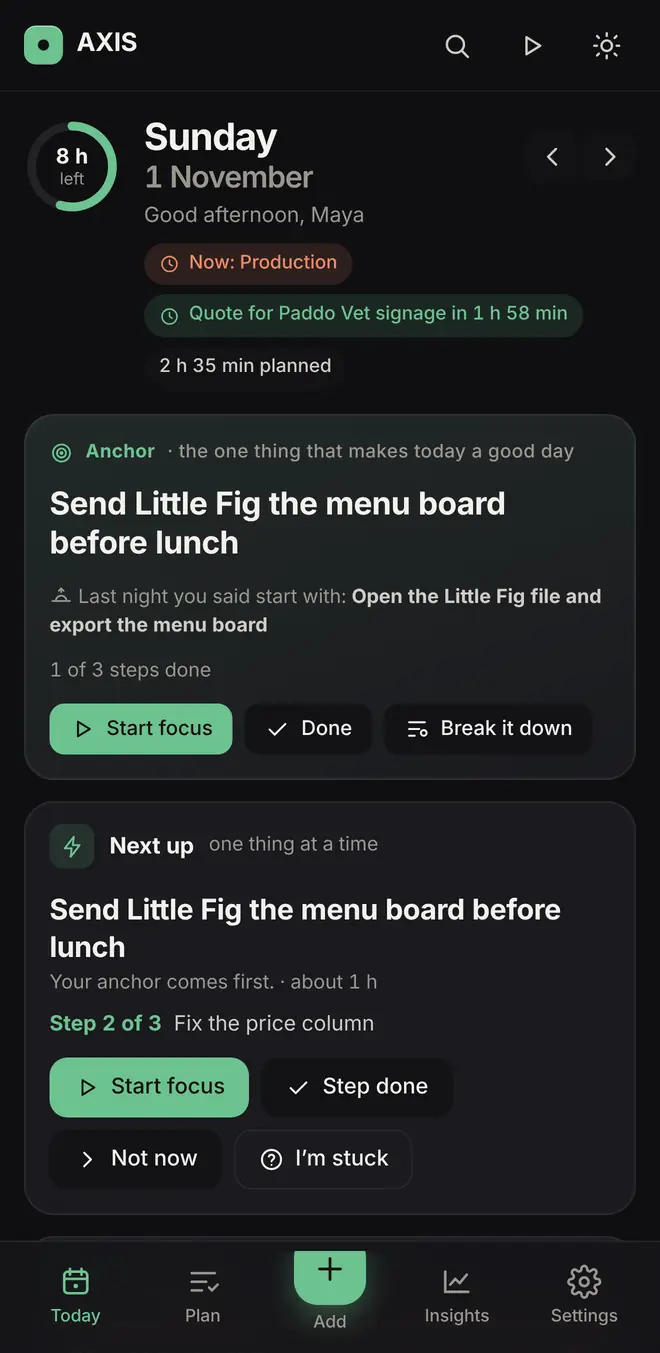
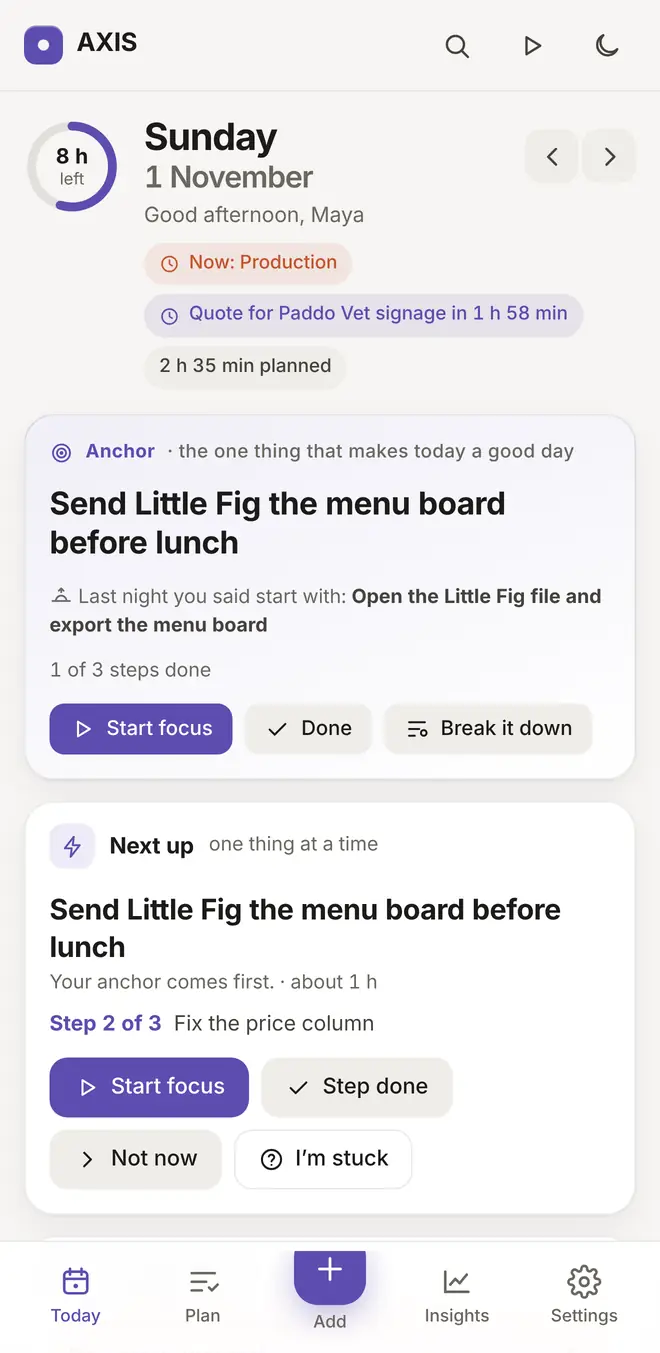
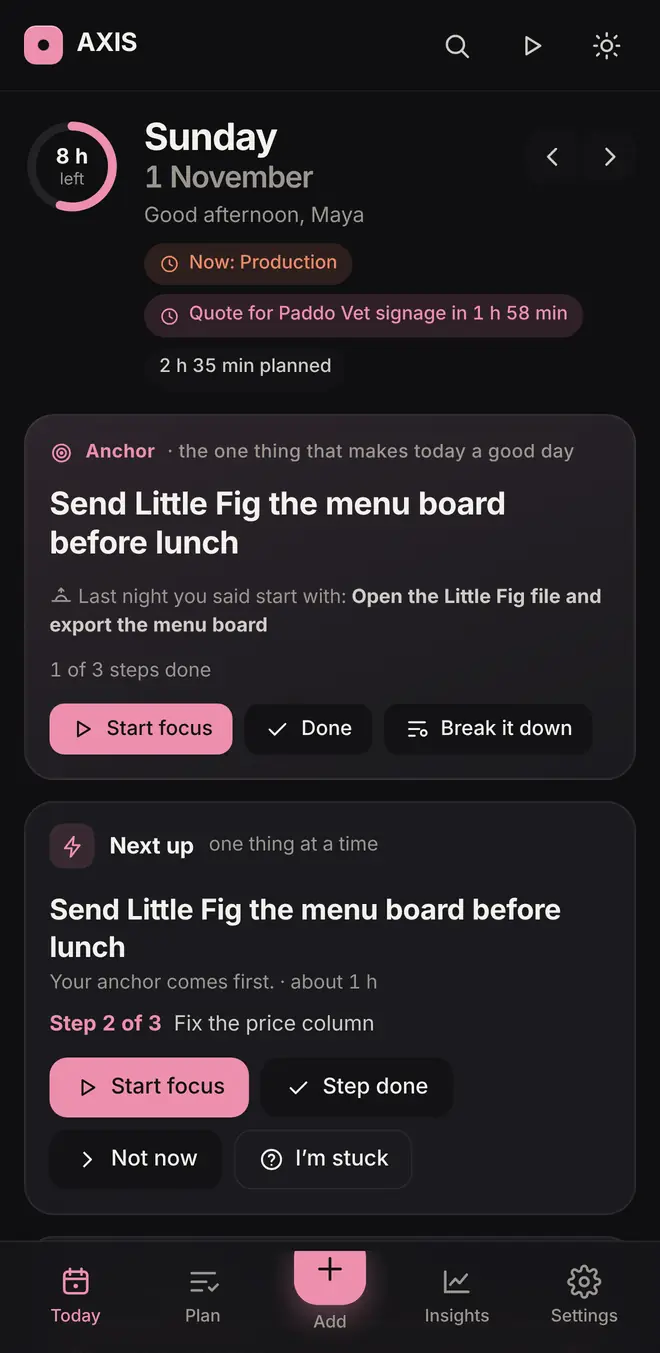
Everything in AXIS Anchor leads to these two cards at the top of Today. They answer the only questions that matter in the moment: what matters today, and what do I do right now?
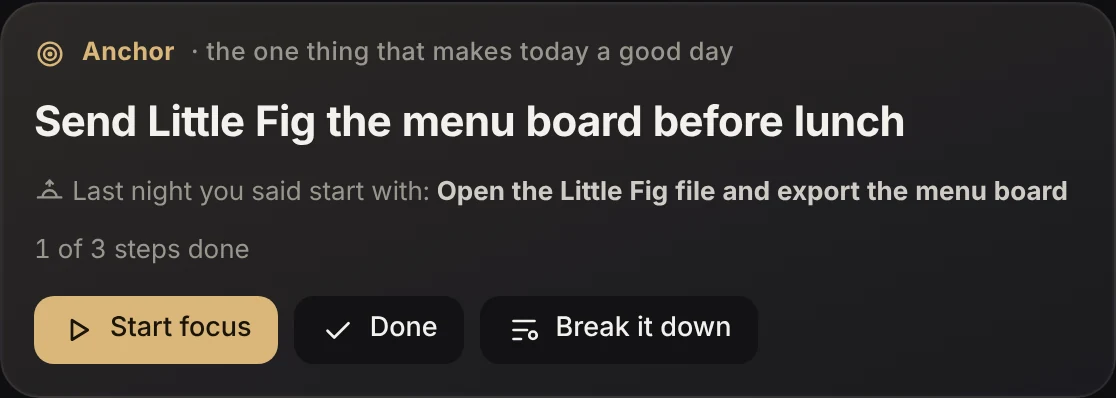
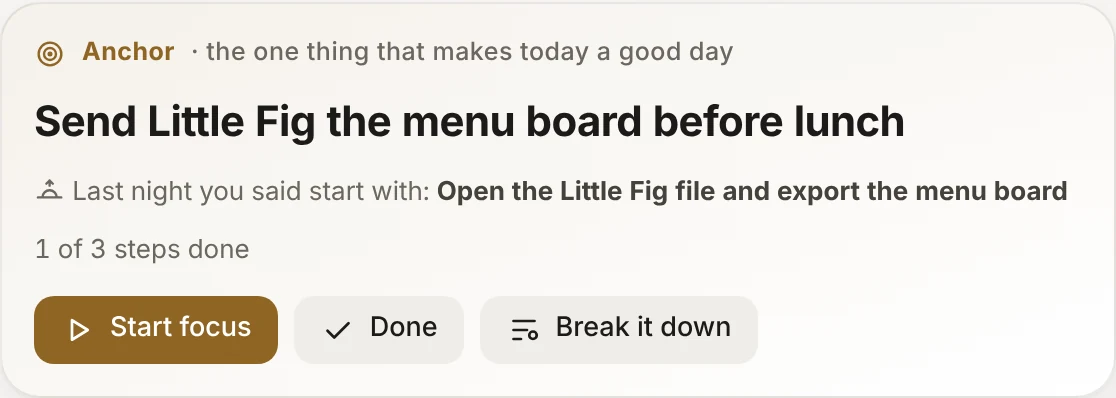
One thing, already broken down
- Your anchor is a real task with its own steps, so "send the menu board" becomes three small moves
- Last night you said start with: the first step you wrote at shutdown is waiting for you
- See how many steps are done, then Start focus, Done or Break it down
- No anchor yet? Anchor suggests three of today's tasks to pick from
The next step, not the whole list
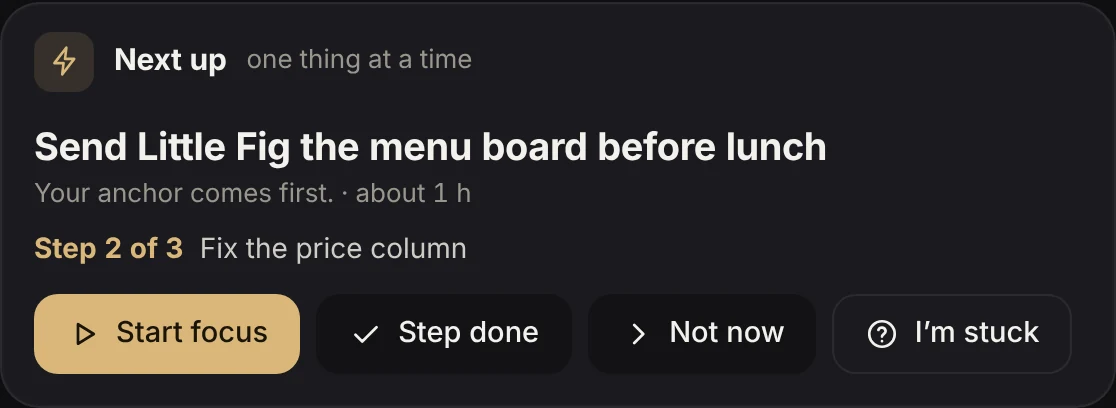
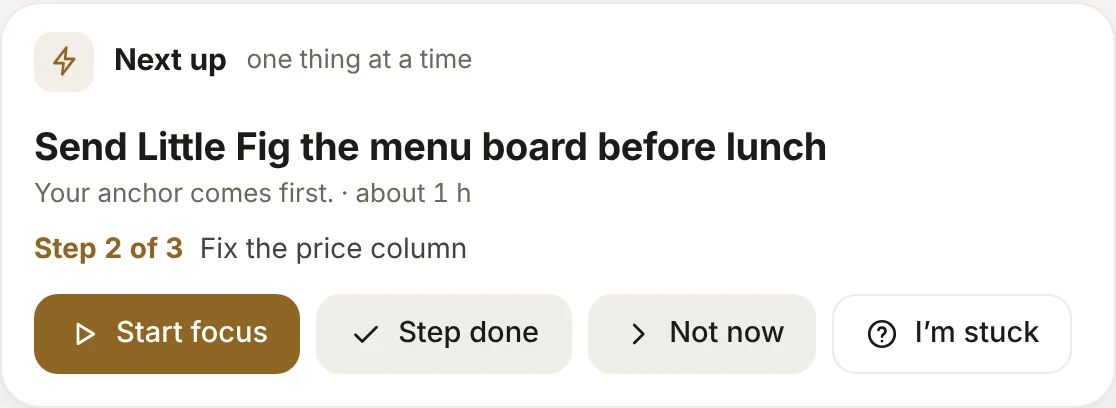
- Your anchor comes first. After that, one task picked with your energy and deadlines in mind
- It shows the next step (Step 2 of 3: Fix the price column) and how long it really takes you
- Step done moves to the next step. Not now shows another task, no penalty
- I'm stuck asks what's in the way and gives you one specific next move
Two minutes in the morning.
One thing at a time after that.
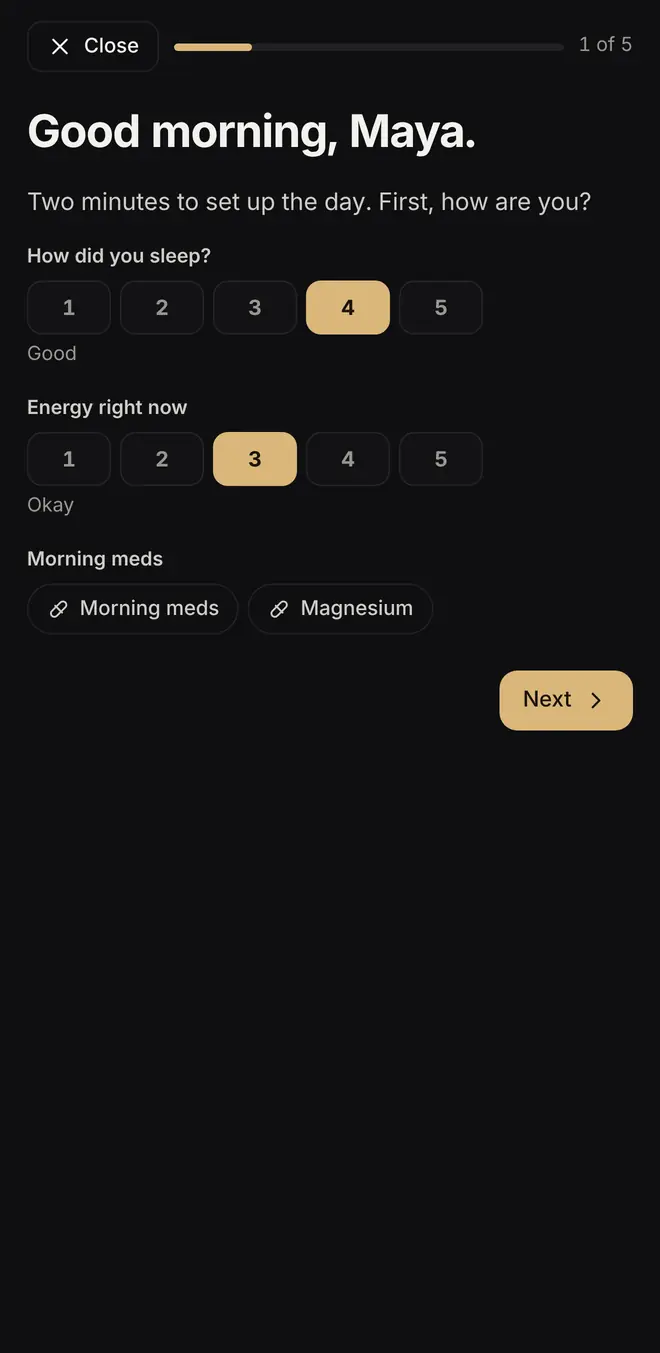
Check in, then pick your anchor
A two-minute start: how you slept, your energy, your meds. Decide what to do with anything unfinished from before, with no guilt either way. Then choose the one thing that would make today a good day.
- One tap per question, nothing to type
- Last night's "first step" is waiting for you
- AXIS compares what you planned with the time you really have
One task at a time, picked with your energy in mind
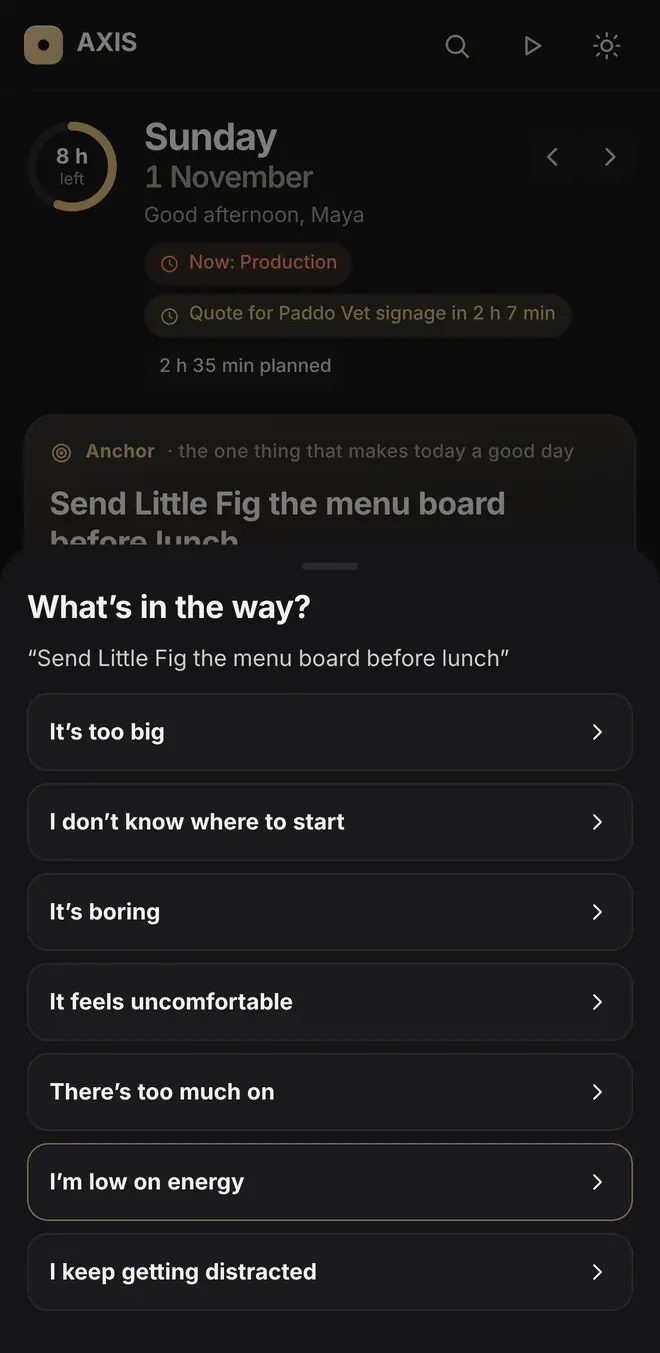
Your anchor comes first. After that, Next up shows one task and its next step. Low energy today? It picks a short one. A deadline getting close? That comes first.
- Not now shows the next one, with no penalty
- I'm stuck asks what's in the way: too big, don't know where to start, boring, uncomfortable, too much on, low energy or distracted
- Each answer leads to a specific next move
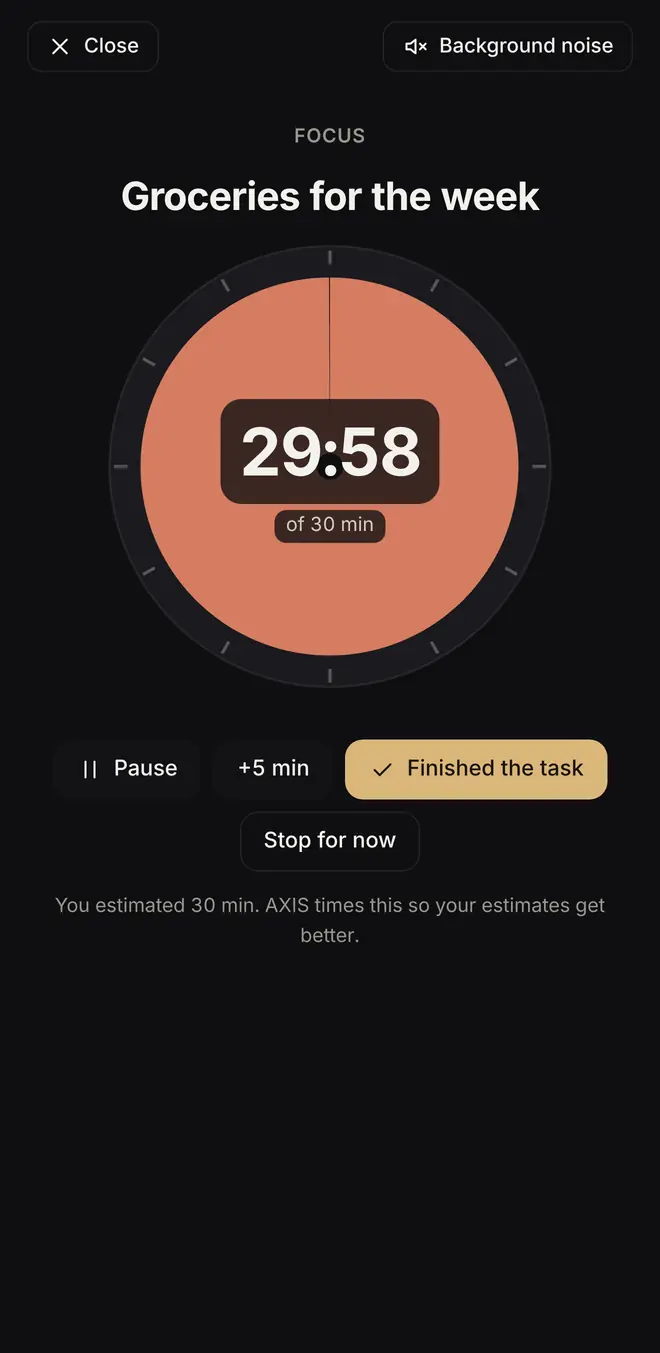
Time you can see, shrinking as you work
Focus shows a disc that shrinks as time runs out, like the timers used in classrooms and therapy. Pause, add five minutes, tick steps off, or finish. Steady background noise helps you settle.
- AXIS times every session and learns your estimates: "tasks you call 15 min usually take about 25"
- Keeps the screen awake where your device allows
- Everything you finish counts as a win
Count your wins. Set tomorrow's first step.
At your wind-down time, a two-minute shutdown: see what you got done, move what's left to tomorrow, Decide or Delete, and write tomorrow's very first step. It's waiting on tomorrow's anchor when you wake up.
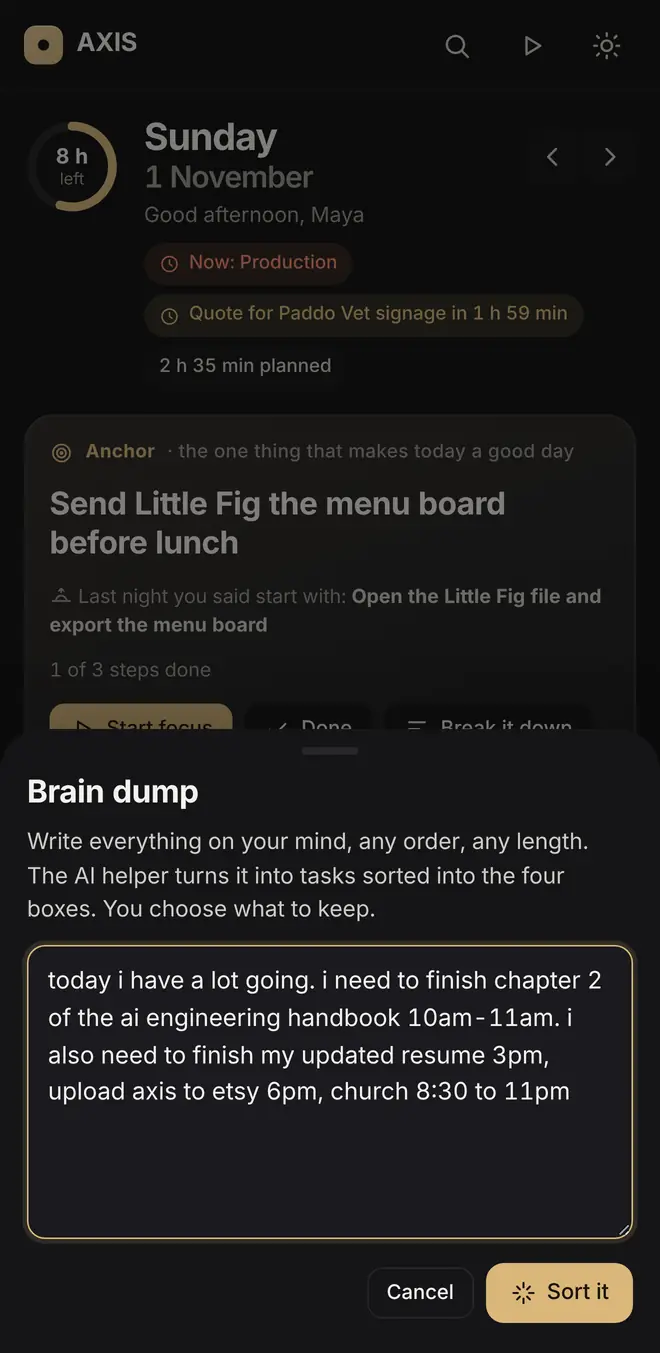
Empty your head.
Anchor sorts it.
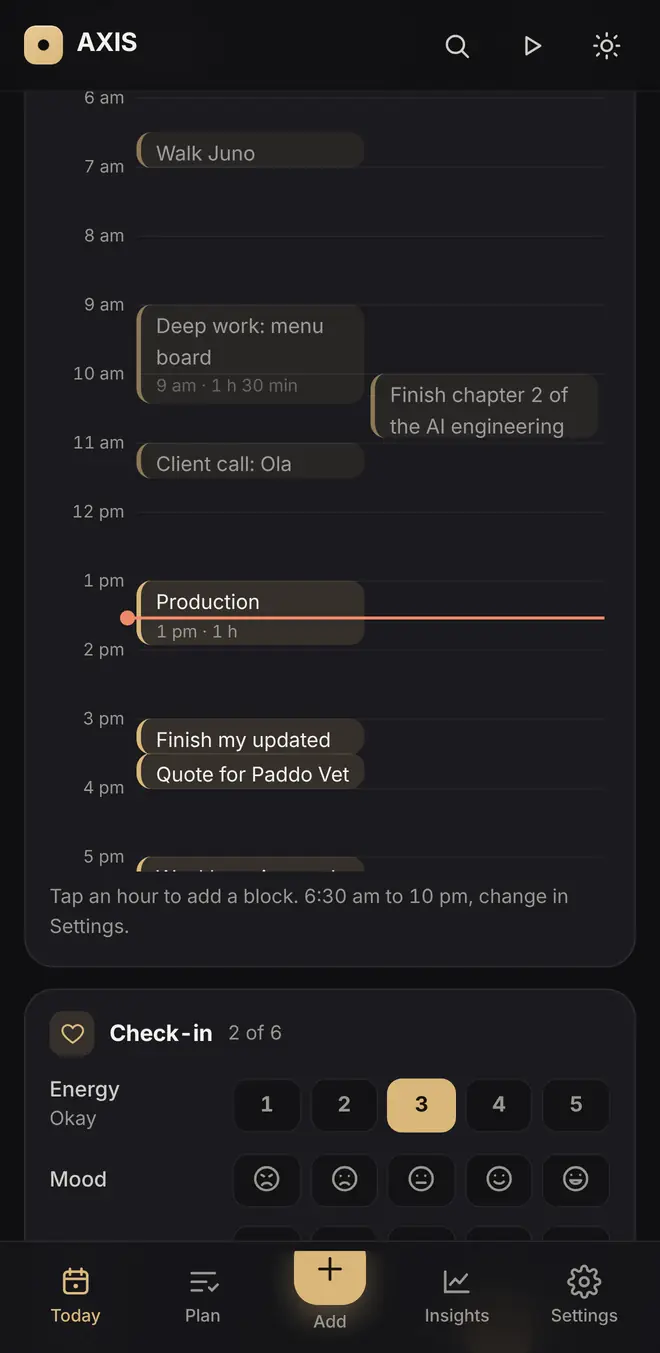
Type everything on your mind, in any order, the way you'd say it. The AI helper turns it into tasks in Do, Decide, Delegate and Delete, puts timed things on your timeline, and you choose what to keep.
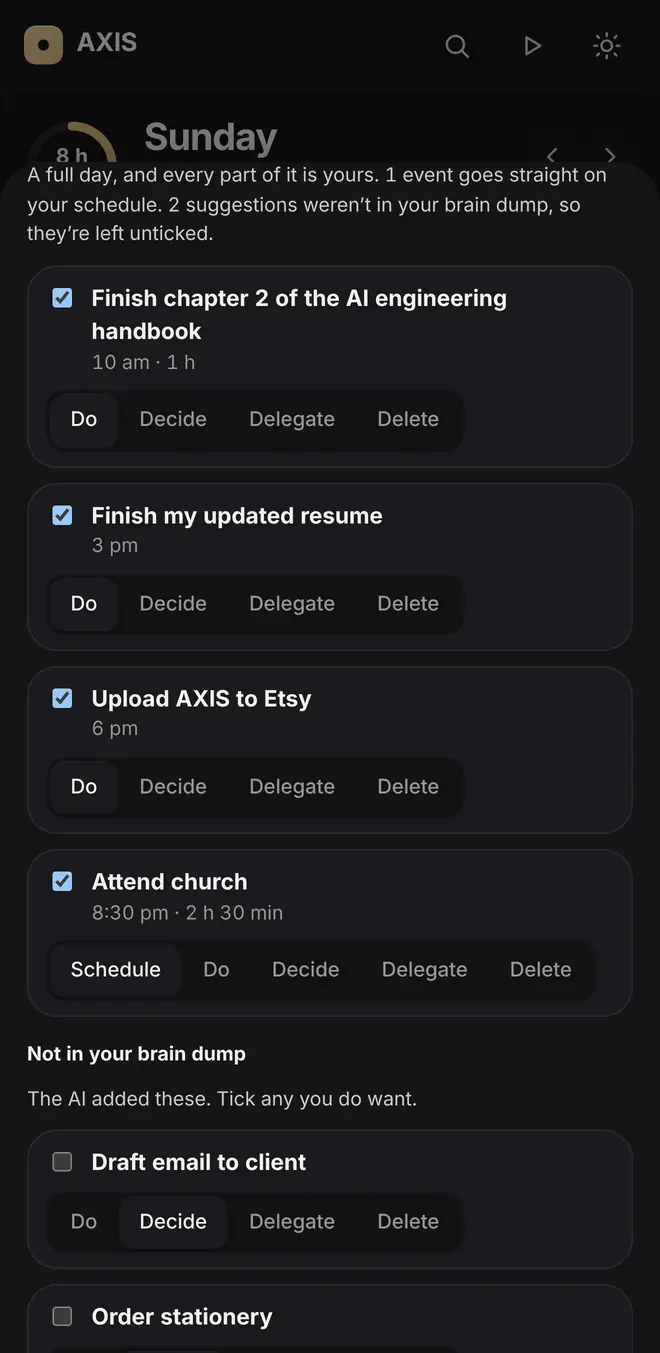
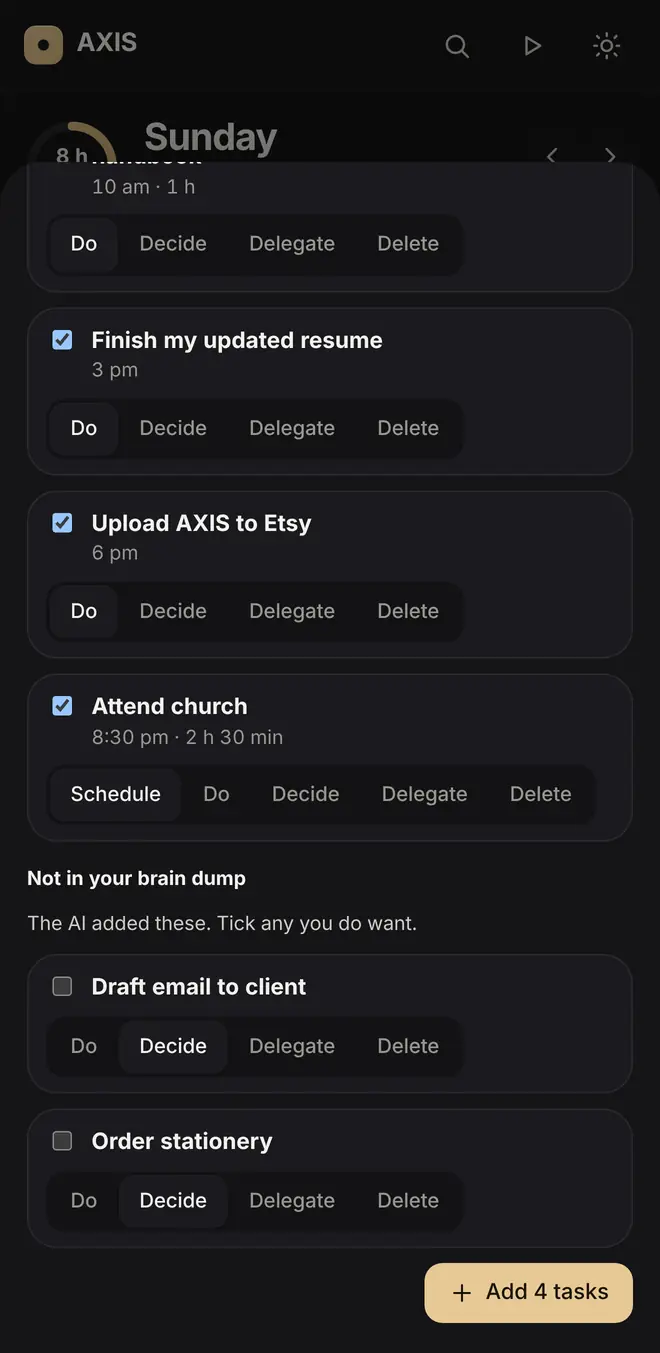
AXIS has no AI of its own. It never sees your words.
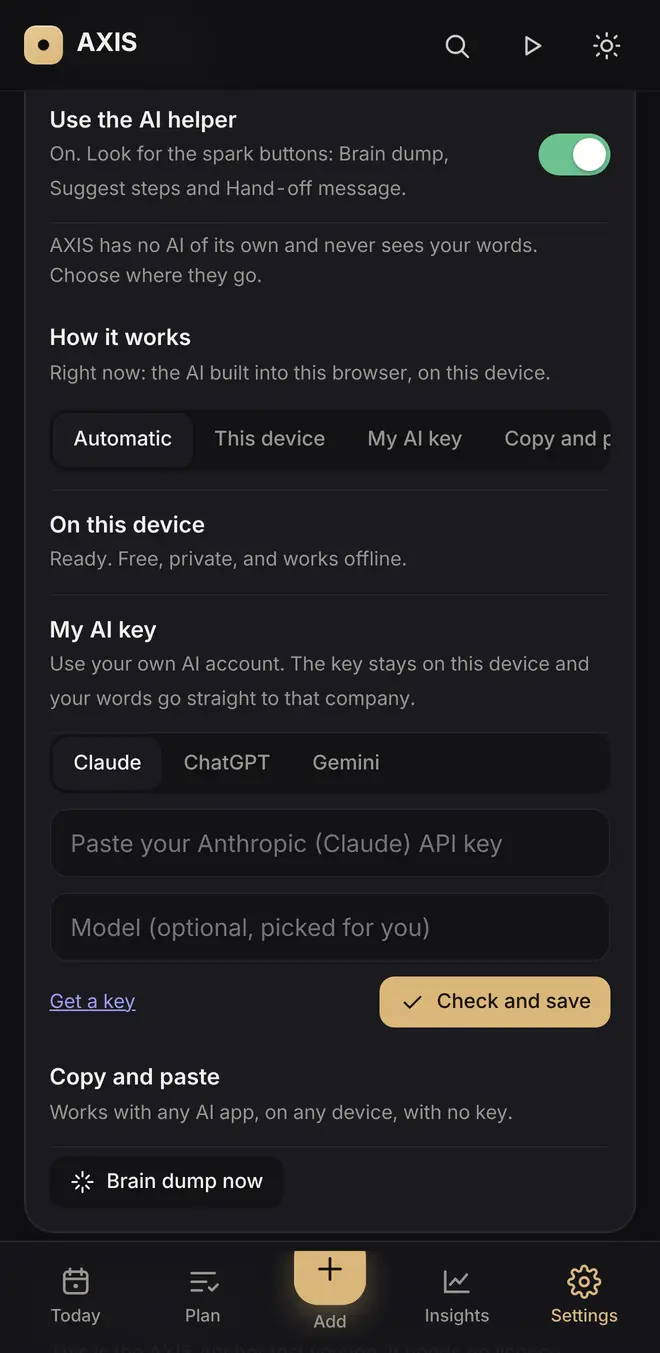
The AI helper is off until you turn it on, and you pick where your words go:
- The AI built into Chrome on a computer: free, private, and it works offline.
- Your own AI account, with a key that stays on your device. Fast, and a brain dump costs a fraction of a cent.
- Copy and paste with any AI app you already use, on any device.
It also breaks a task into small steps, and writes the message when you hand a task to someone. Every answer is checked against what you actually wrote before you see it.
Phone, tablet, computer.
One planner, in your cloud.
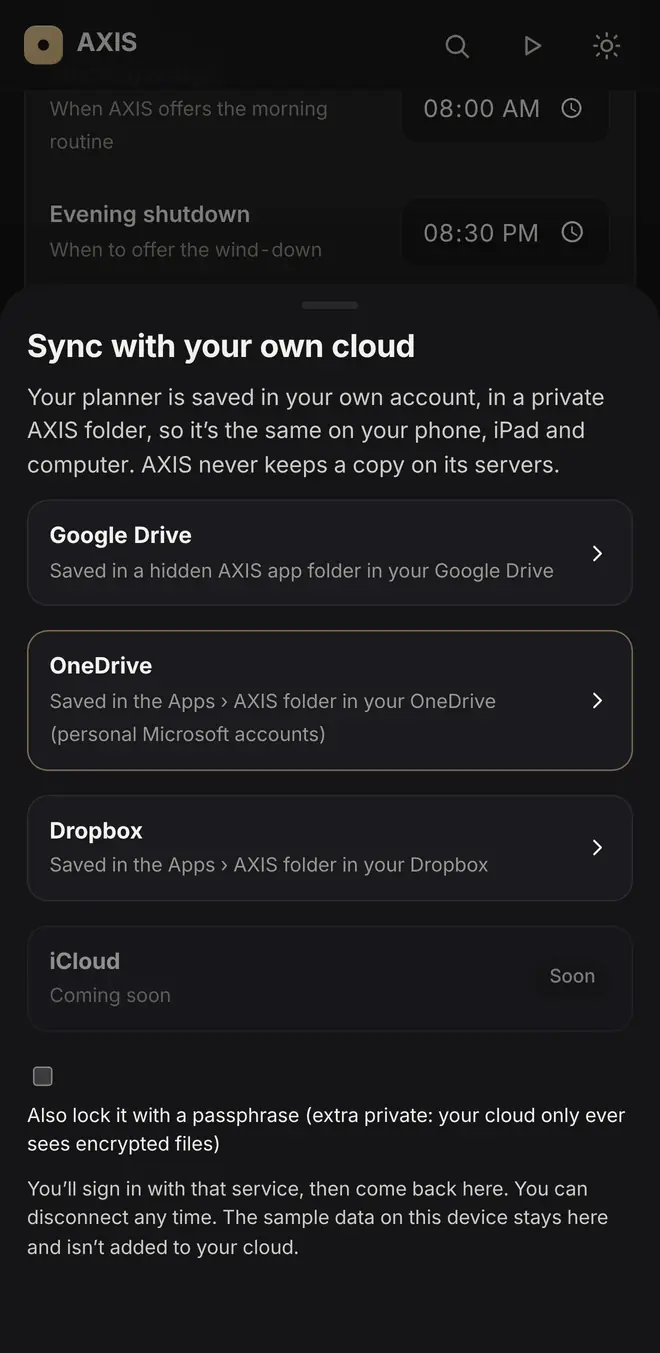
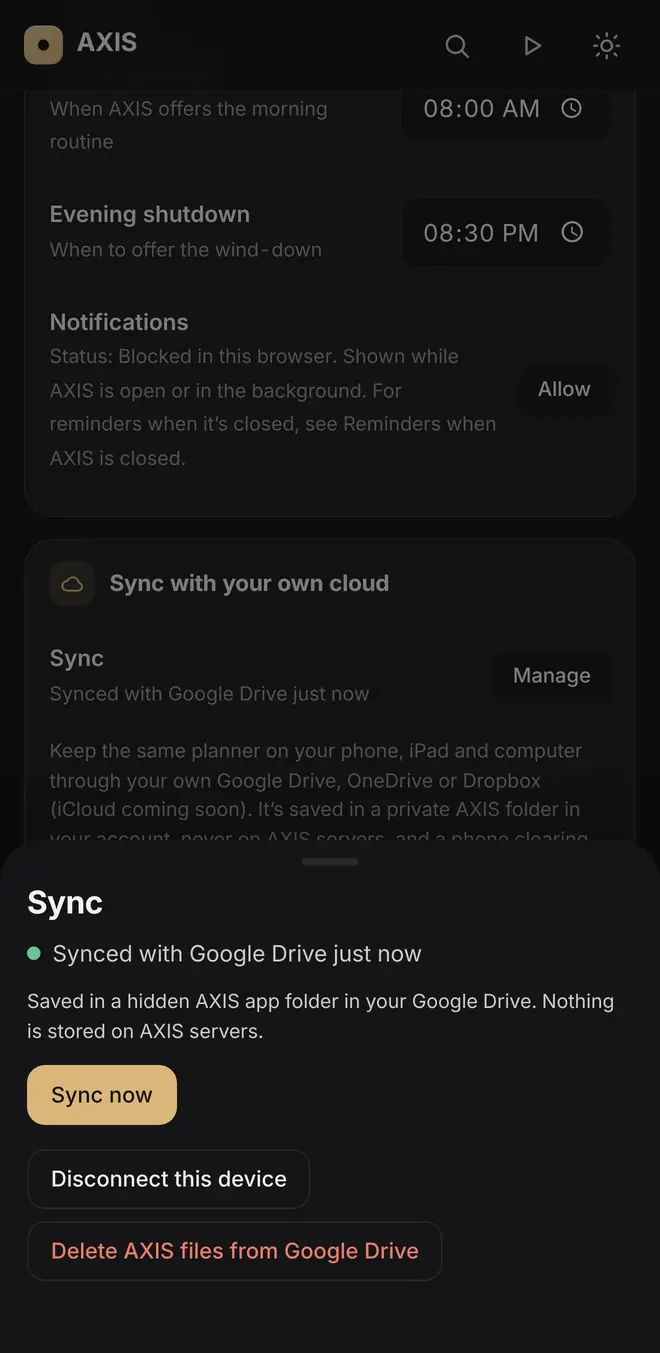
Connect your own Google Drive, OneDrive or Dropbox once, and every device stays in step. Your planner lives in a private AXIS folder in your account. It never touches our servers.
Connect once. Then forget about it.
- Every change saves on your device first, so Anchor works fully offline.
- It syncs in the background when you open it, every minute while it's open, and when you're back online.
- Edits to different things on two devices both survive. Same thing on both? The later edit wins.
- Phones can clear website data. Connect again and everything comes back.
- Want it extra private? Lock it with a passphrase and even your cloud only sees scrambled data.
Calm on the surface.
Thorough underneath.
Every feature has an ADHD reason to exist, and none of them shouts at you.
Do, Decide, Delegate, Delete. Anchor nudges you when Do gets too long, and Delete is never final.
Blocks side by side, a red line for now, and a chip that says what's next and when.
"Due by 3 pm" sits on the task, and Next up puts it first in the three hours before.
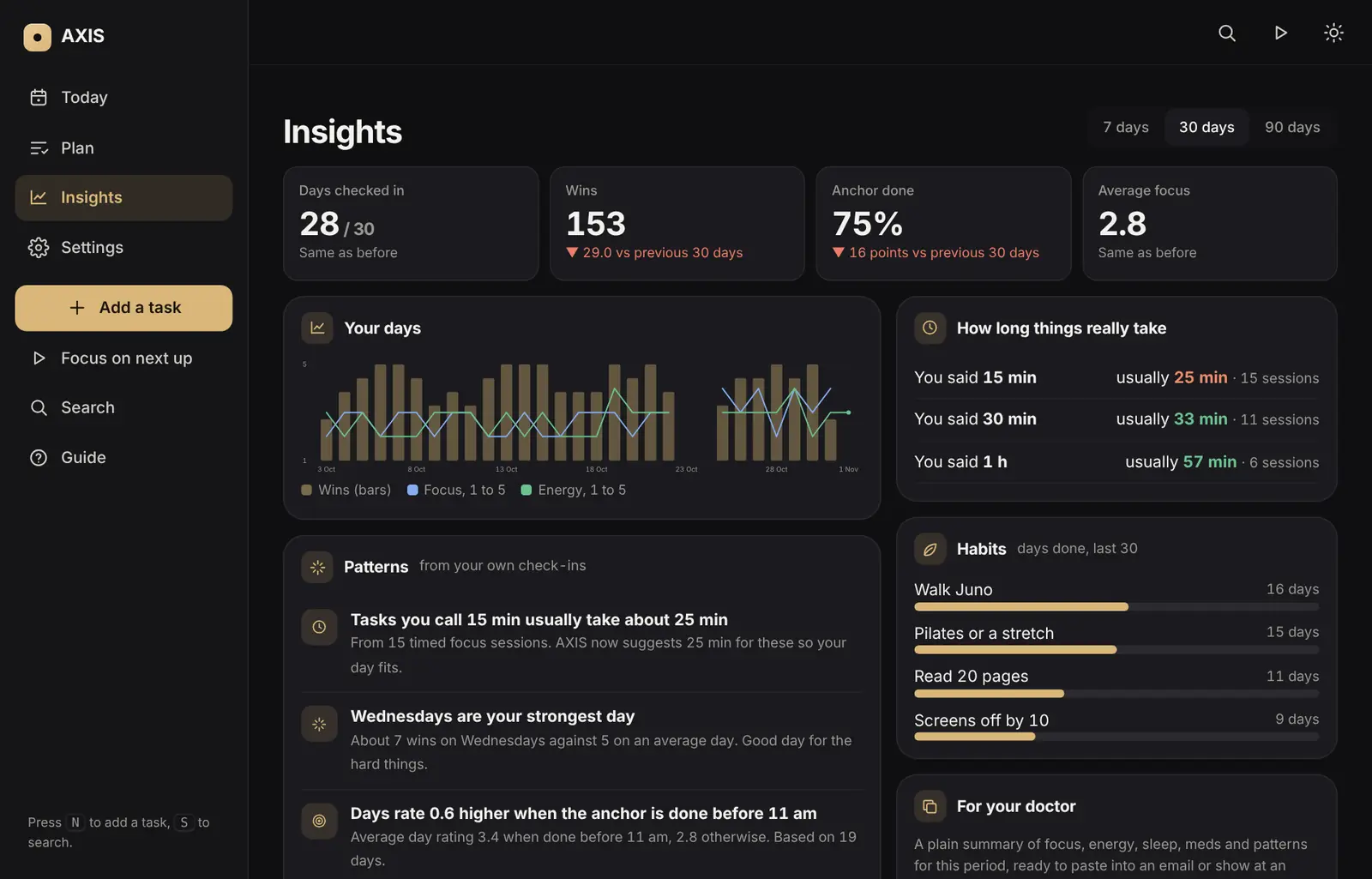
Sleep, meds and focus against how the day went, shown only when there's enough data to mean something.
Any period in plain sentences: focus, energy, sleep, medication. Edit it, then copy or print it.
Rent, a meds refill, a weekly review. They appear on their days, and a missed one isn't piled onto tomorrow.
Tasks, steps, notes, the timeline and done tasks, as you type. Press S on a keyboard.
Google Drive, OneDrive or Dropbox keep your phone, tablet and computer in step. A cleared phone gets everything back.
Your morning start, anchor, medication and wind-down go into your own calendar app, so they ring even when AXIS is closed.
Sort a brain dump, break a task into steps, draft a hand-off. With your own AI, checked against what you actually wrote.
Add it to your Home Screen on iPhone or Android, or install it in Chrome. It opens full screen and works offline.
Already use AXIS Planner? Bring a Planner backup into Anchor: check-ins, schedule, habits, journal and tasks.
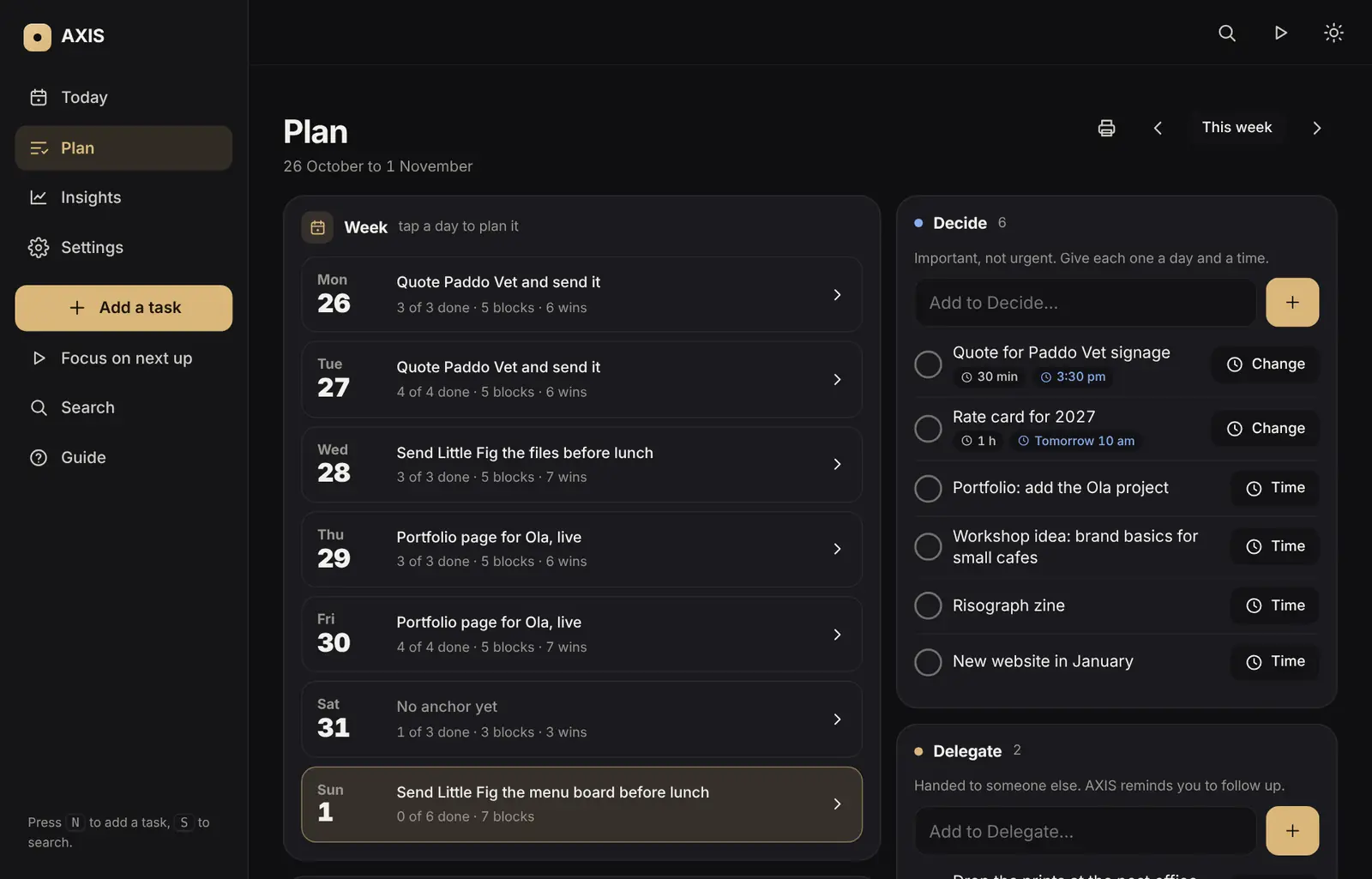
See the week. Then just today.
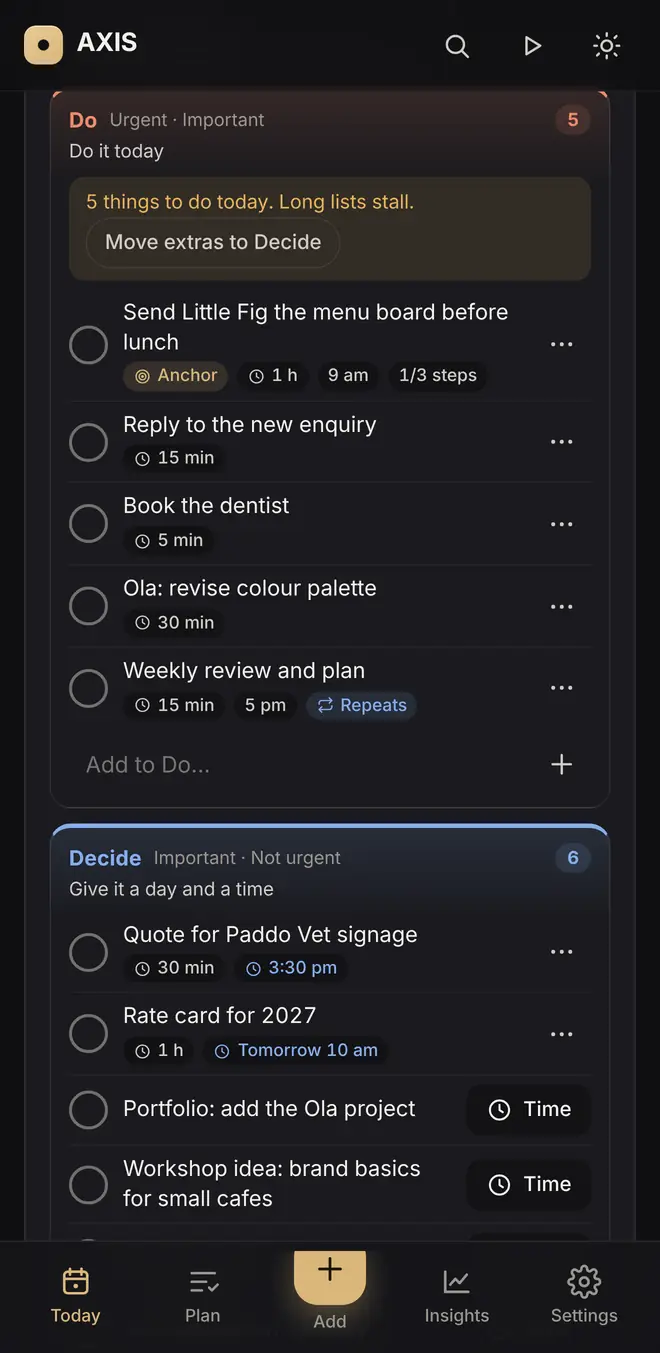
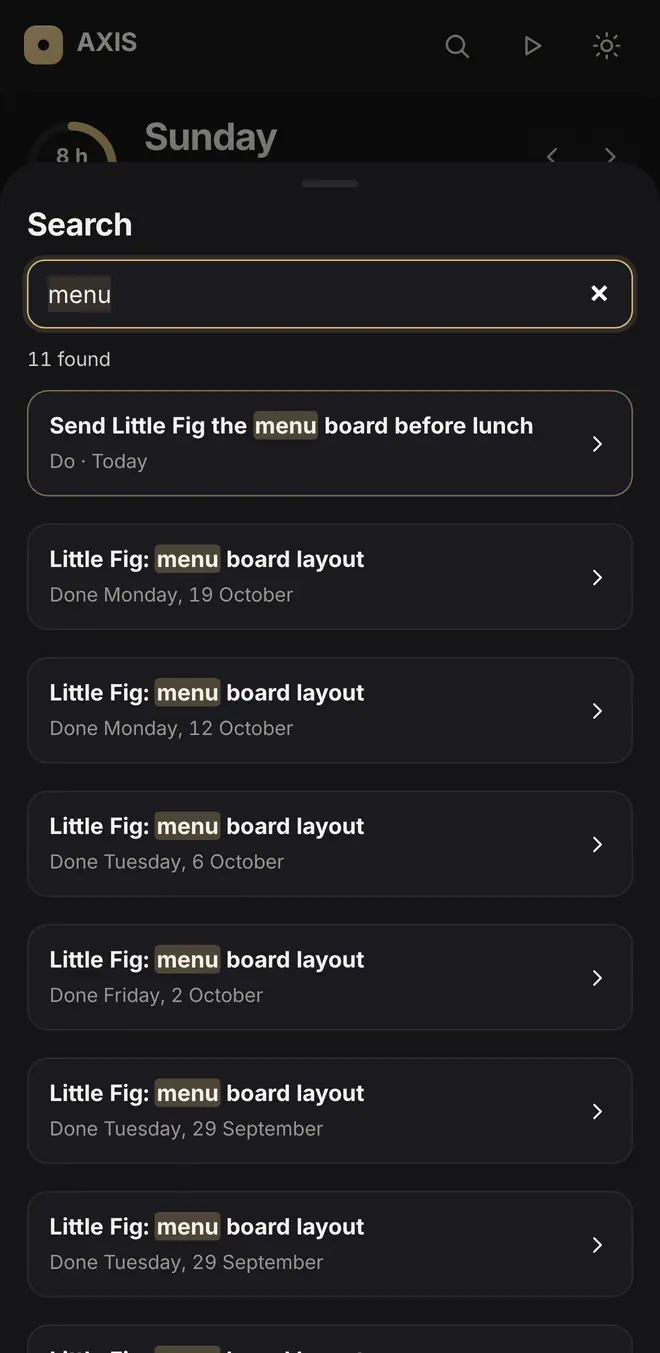
Keep what helps.
Hide what doesn't.
Tap Customise this page at the bottom of Today. Move cards up and down, hide the ones you don't use, and bring them back any time. Hidden cards keep their data.
Your colours. Light, dark or calm.
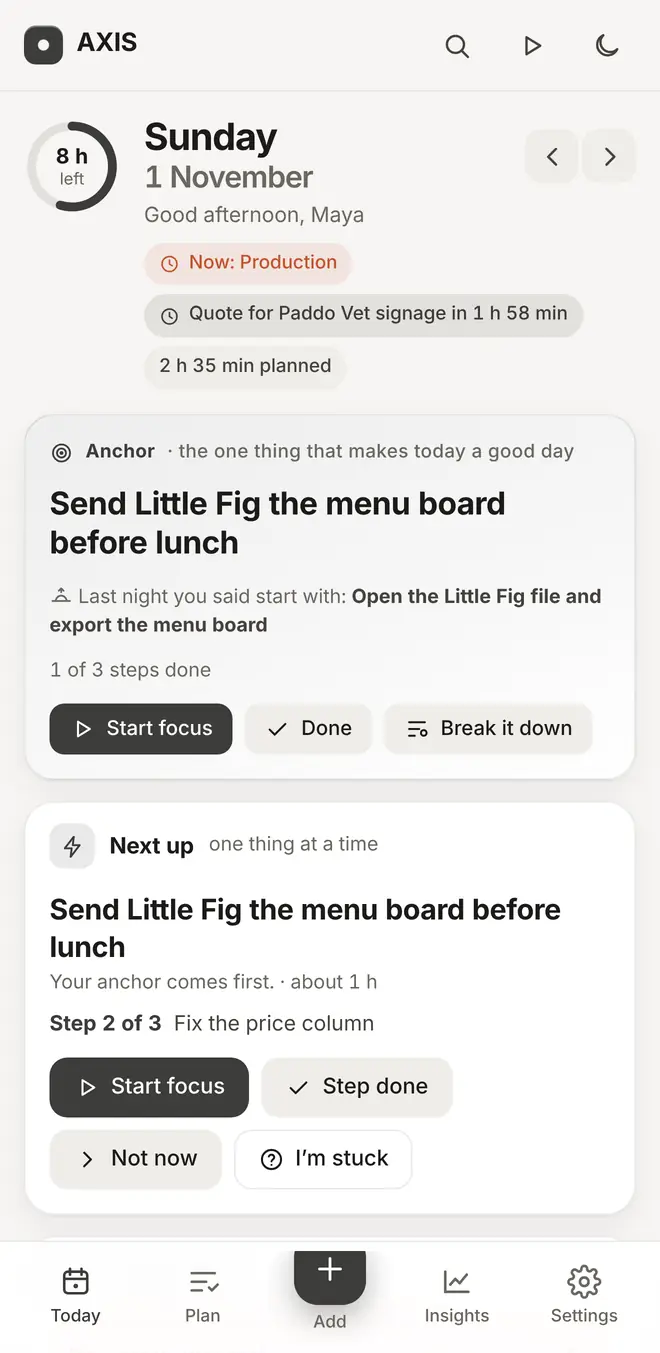
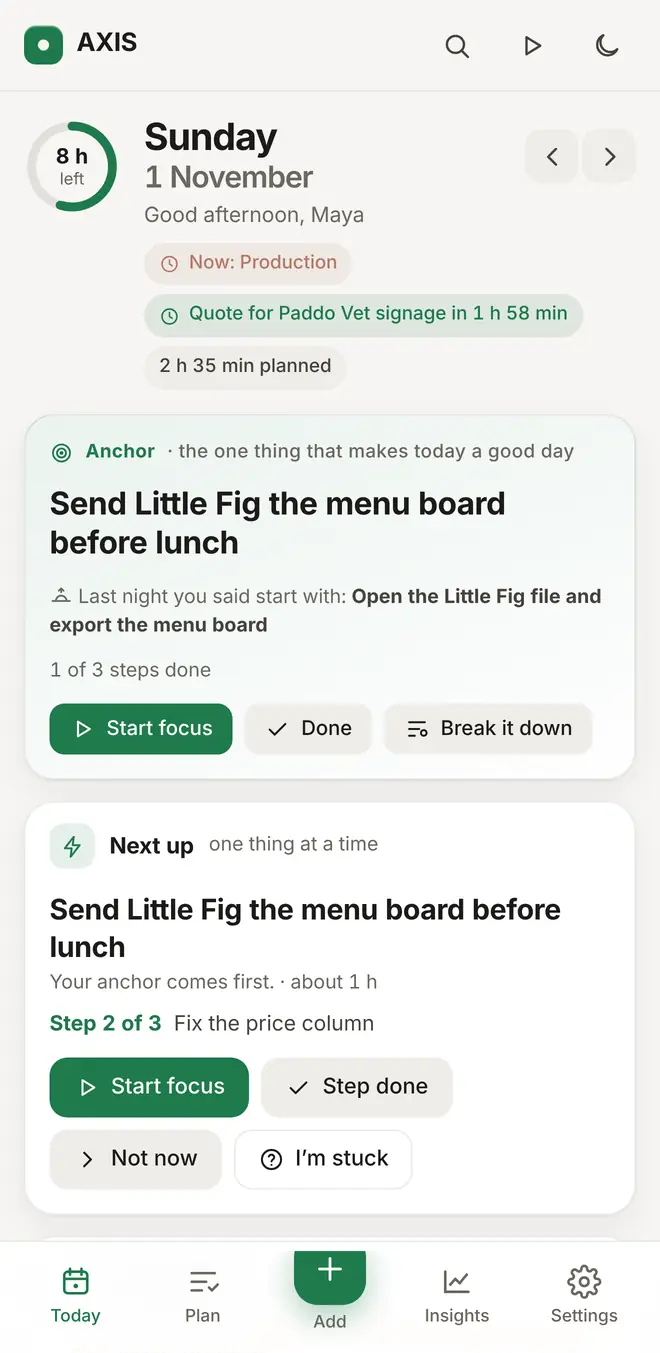
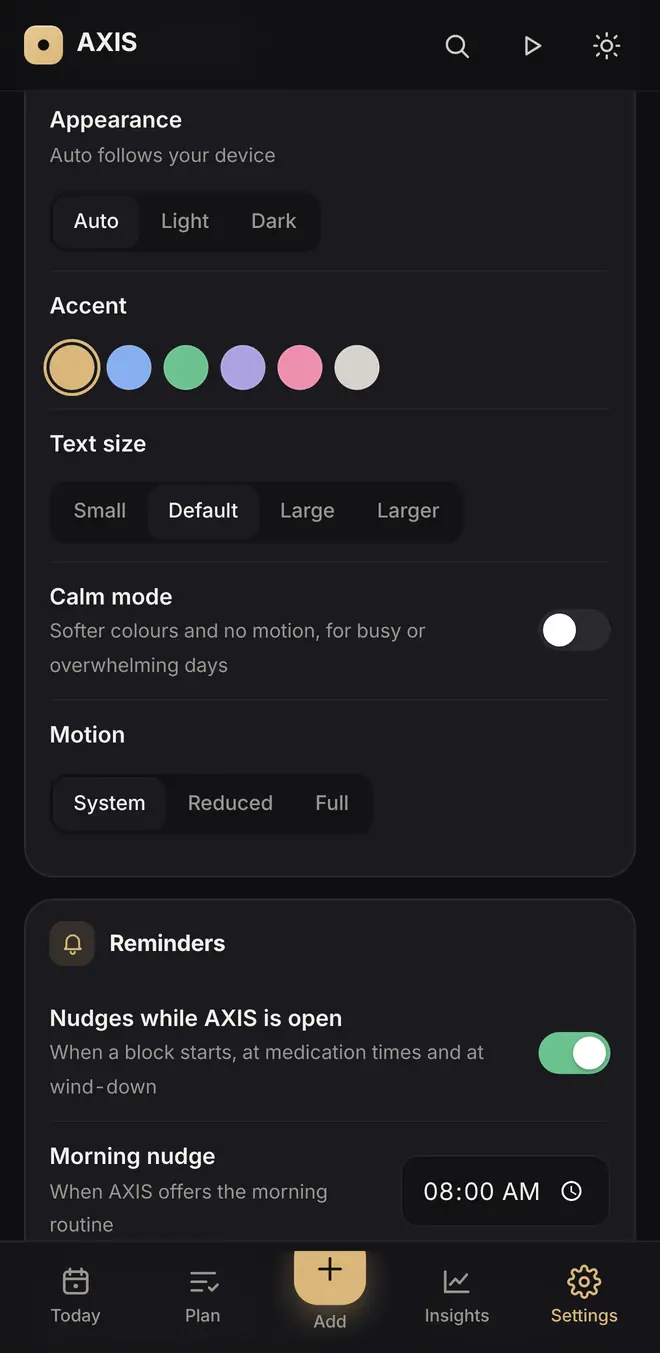
Six accents, light or dark (or follow your device), four text sizes, Calm mode for overwhelming days, and reduced motion.
Swipe to see them all
Two AXIS planners.
Different days need different tools.
Want the whole picture as well? See AXIS Planner, or get both below.
Pay once. Keep it.
No subscription, no account, no upsell. Your licence key is emailed straight away and works on your devices.
- Anchor, Next up and I'm stuck
- Focus disc that learns your estimates
- Two-minute morning and evening routines
- Task triage, timeline, deadlines, repeats
- Patterns and a summary for your doctor
- Search everything
- Sync with your own cloud, calendar reminders
- Optional AI helper with your own AI
- Updates included
Secure checkout via Stripe · Key emailed instantly
- Everything in AXIS Anchor
- Everything in AXIS Planner: habits, ADHD symptom tracker, meals, months, Insights
- One key opens both apps
- Anchor on hard days, Planner on calm ones
- Updates to both included
Own AXIS Planner already? Its key keeps working; Anchor needs its own key or the bundle.
Bought on Etsy? Claim your key at axis.alexandara.com.au/etsy.
Your planner stays yours.
Everything you enter is saved on your device. No account, and it works offline. We never see your planner.
Sync goes into a private AXIS folder in your own Google Drive, OneDrive or Dropbox, straight from your device. Add a passphrase and even your cloud only sees scrambled data.
Your email, licence key and purchase record, so we can send and check your licence. Reminders go to your own calendar; the AI helper uses an AI you choose.
Before you decide.
Start with one thing.
Today.
Pick your anchor, take the first small step, and watch the time you have instead of guessing it.
Get AXIS Anchor →